"Why was this table cancelled?"
Did staff cancel the order or did the guest change their mind — most systems keep no trace.
Tıkır: a cancellation reason is mandatory and cannot be skipped; who cancelled is recorded.
For cafés and restaurants
QR menu and table ordering — who did what, which table paid cash, does the till balance tonight; all in one panel, recorded from the moment of ordering to end-of-day reconciliation.
The problem
Did staff cancel the order or did the guest change their mind — most systems keep no trace.
Tıkır: a cancellation reason is mandatory and cannot be skipped; who cancelled is recorded.
If cash-or-card isn't written down at order time, the evening count becomes guesswork.
Tıkır: payment type is chosen at close-out; expected end-of-day cash is calculated automatically.
When everyone can do everything with a shared password, responsibility gets lost too.
Tıkır: everyone signs in with their own PIN; cancellations, close-outs and end-of-day are attributed.
How it works
The guest scans the QR code at the table with their phone; no app, sign-up or phone number required.
They browse the menu, pick options (size, milk, extras) and send the cart — from their own phone.
Within seconds the order shows in the panel and on the kitchen/bar display; staff take it with their PIN.
Because cash/card is recorded at close-out, the evening count takes minutes.
See the product
Click the tabs: every image is taken from a real Tıkır screen (shown in Turkish; the panel and menu also run in English). The live demo opens a sample café's menu on the real guest screen.
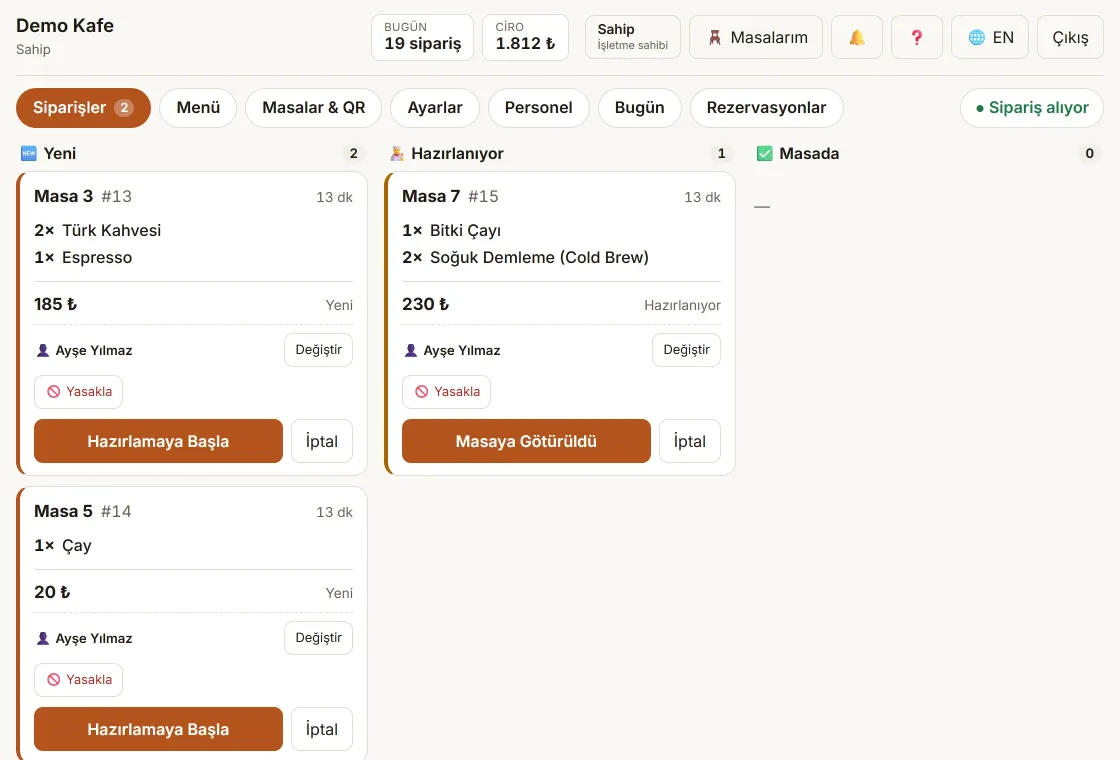
Orders from the table reach the panel within seconds: new, preparing, served.
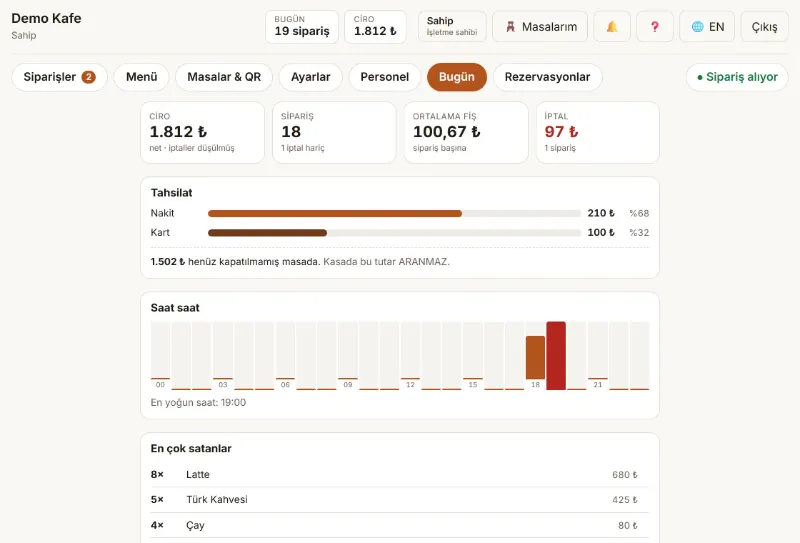
Cash/card split and hourly load at a glance; at closing, the counted cash is compared with the expected amount.
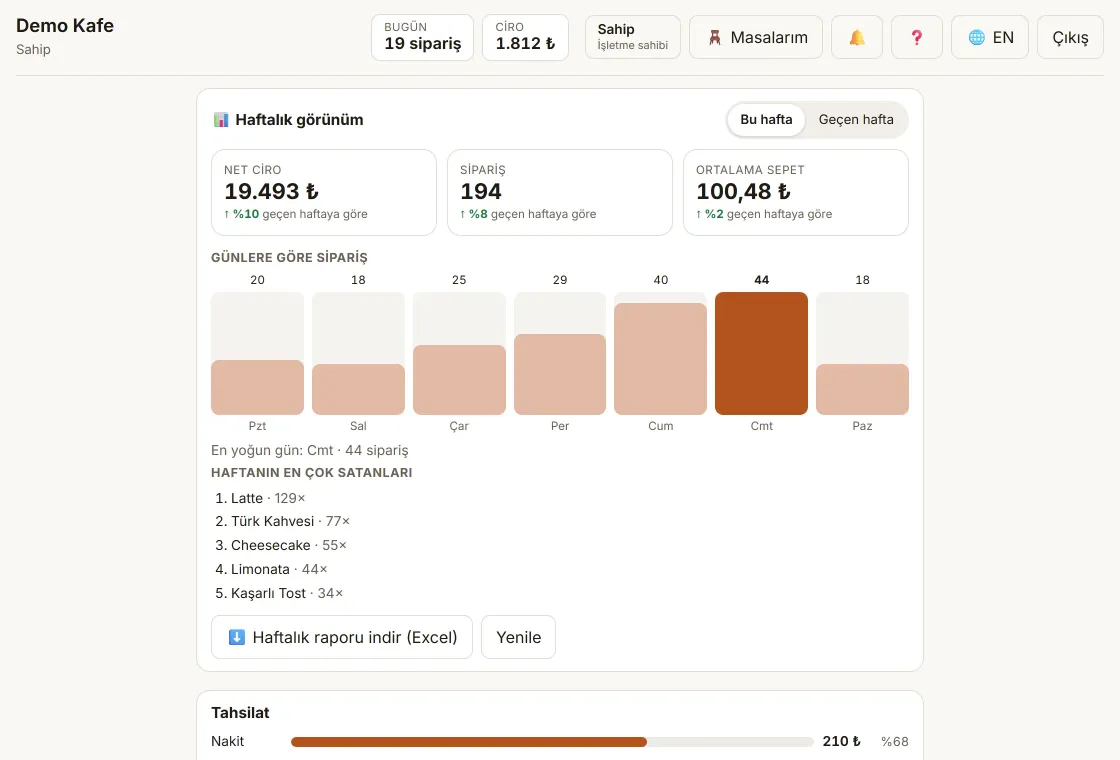
Revenue, orders and average ticket are compared fairly with last week: mid-week, against the same number of days.
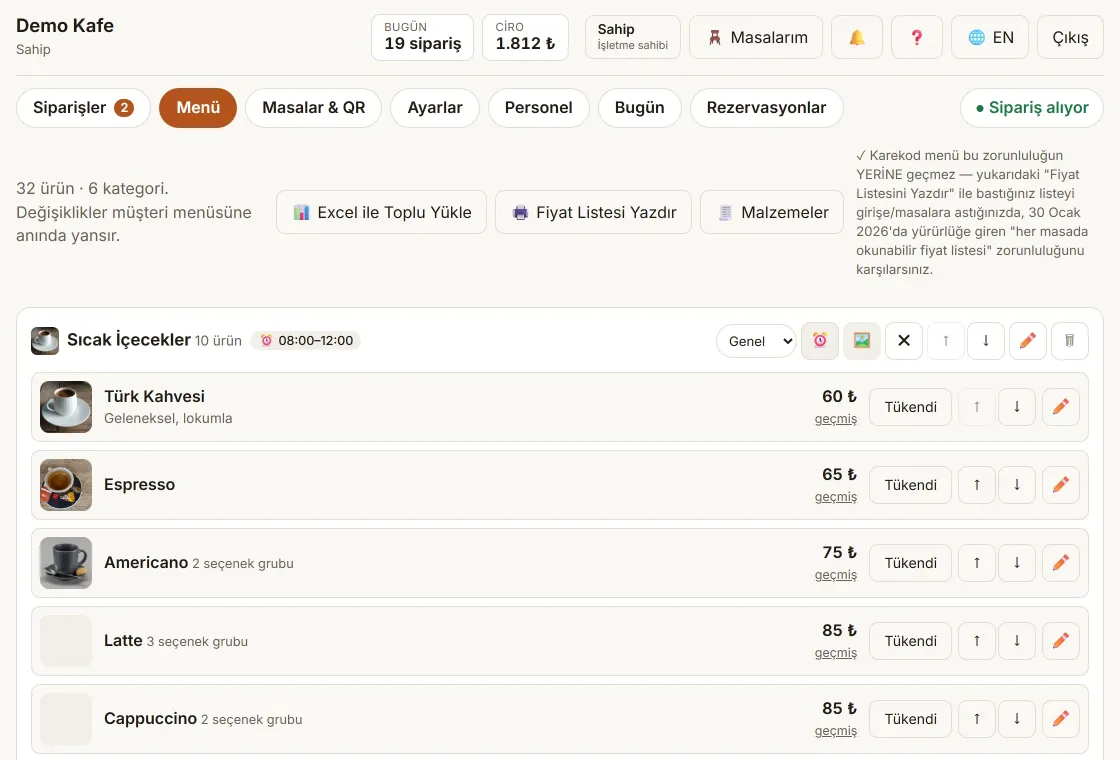
Categories, options, allergens and photos on one screen; mark a product sold out with one tap.
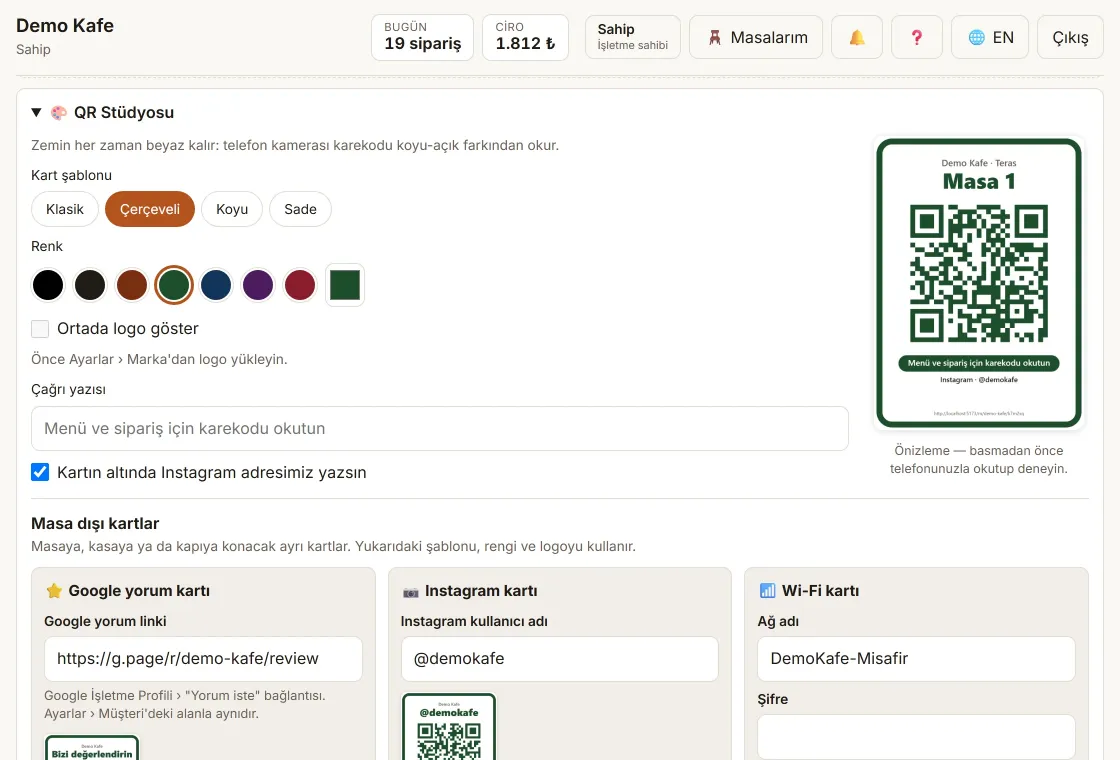
Four templates, your brand colour and logo; table cards print six to an A4 sheet.
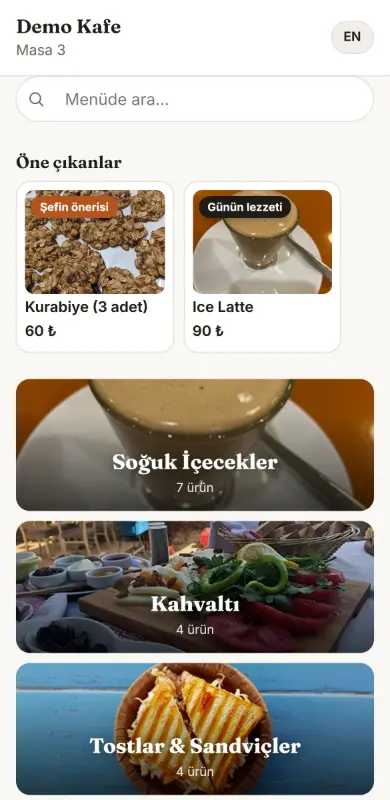
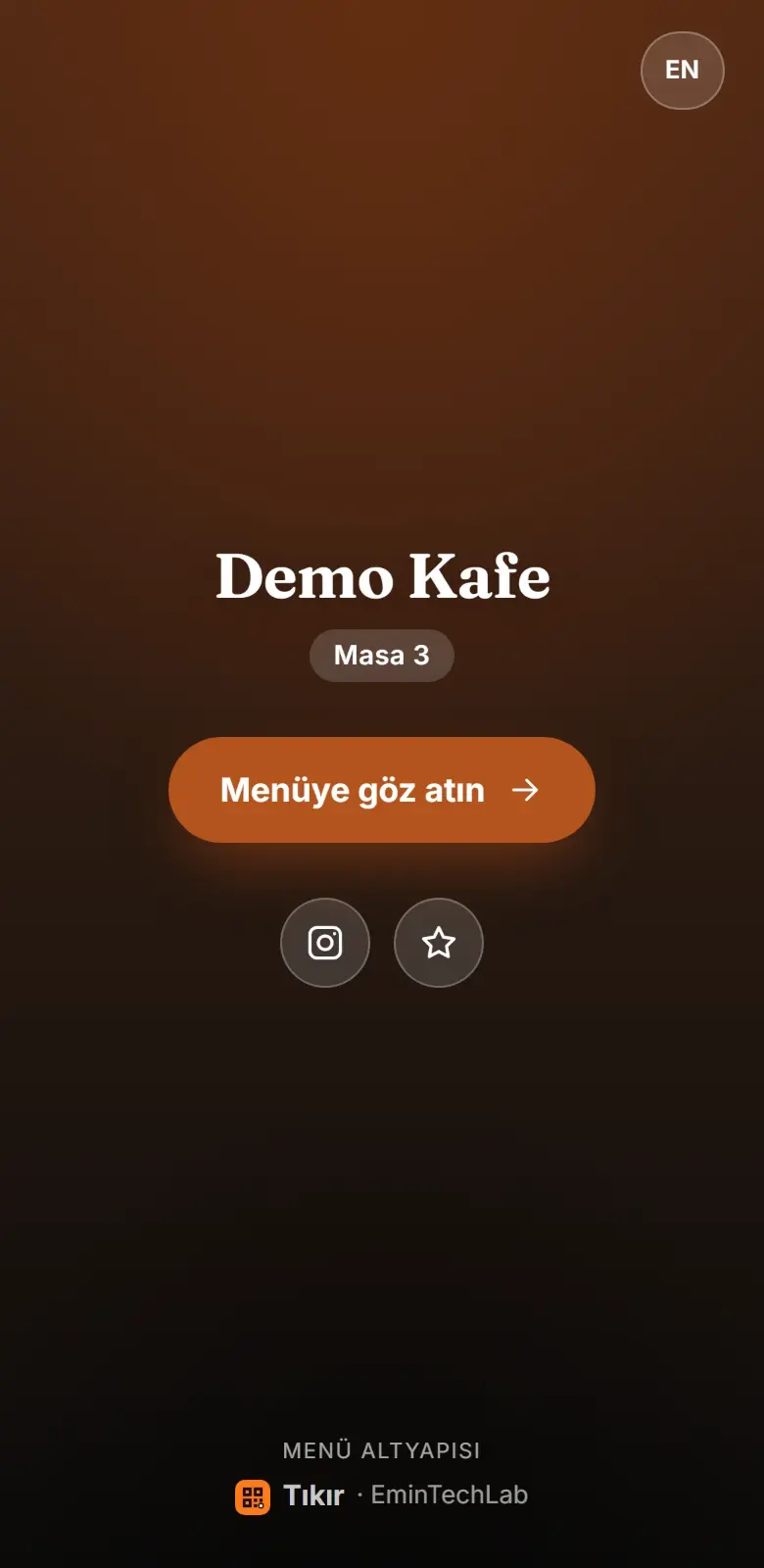
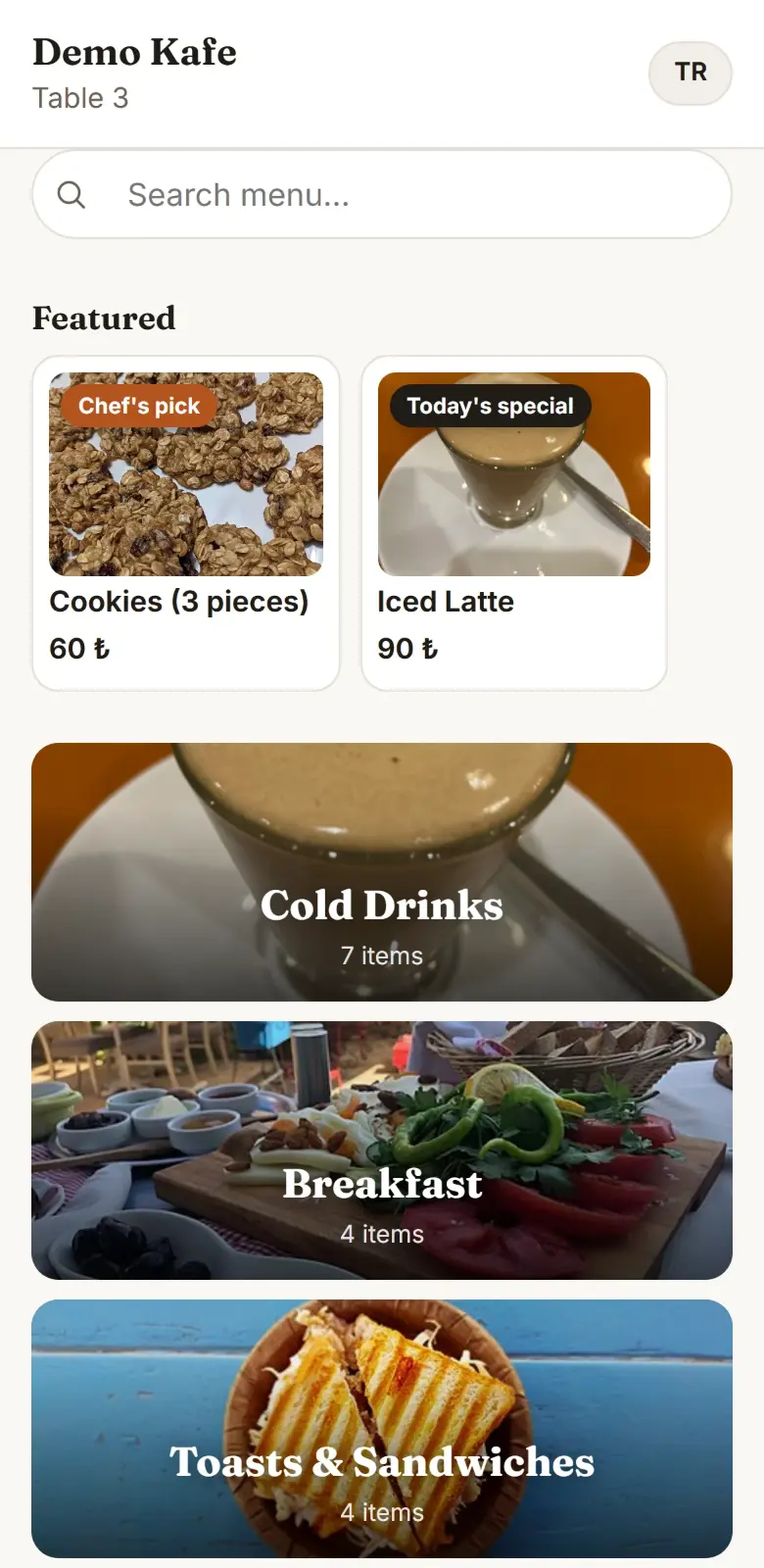
Guests who scan the QR code see your café's welcome screen, browse the photo menu and send the order from their own phone.
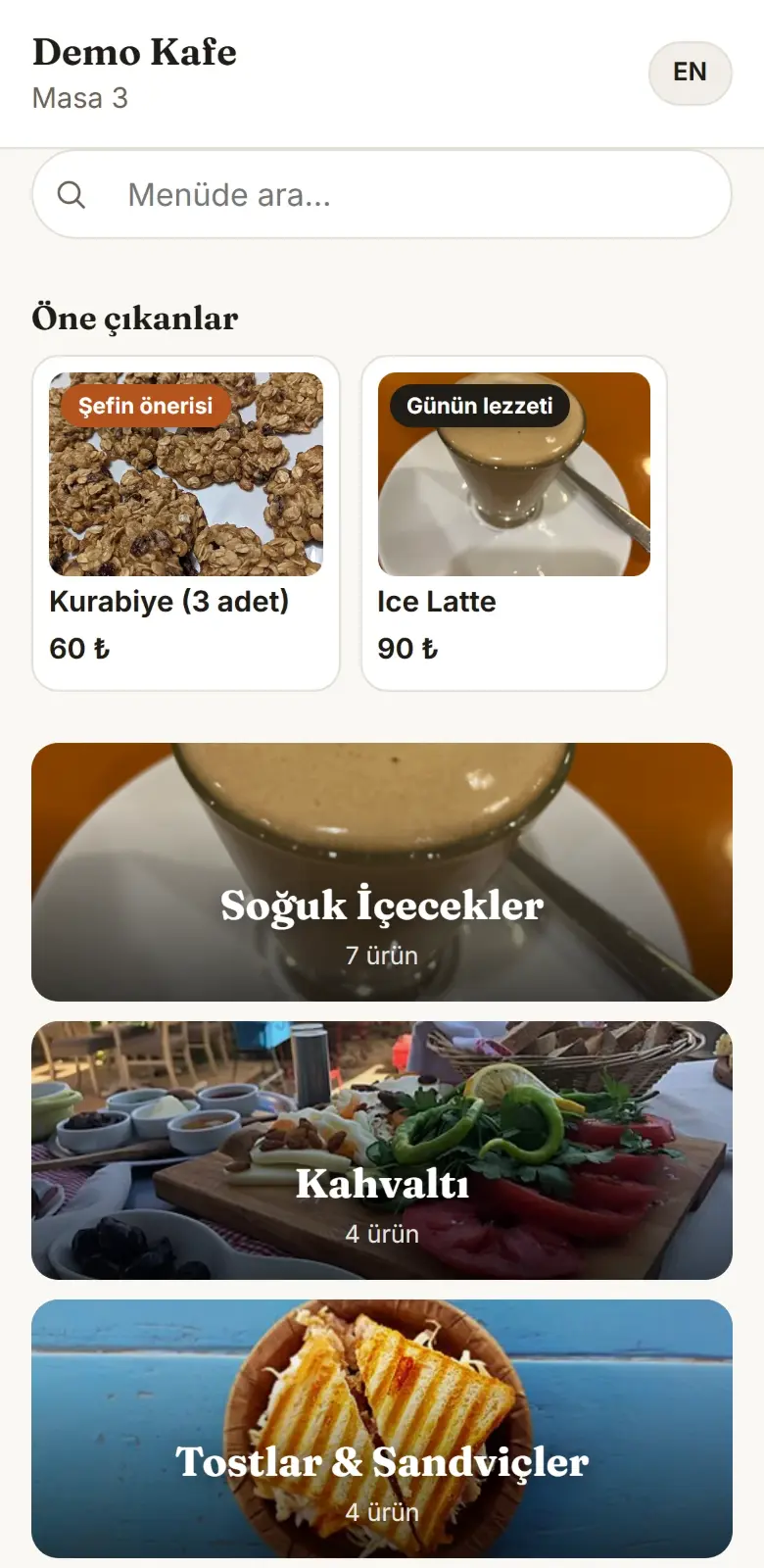
The guest interface speaks dozens of languages, from Turkish and English to Arabic and Chinese; guests switch with one tap, and you enter product-name translations in the panel.
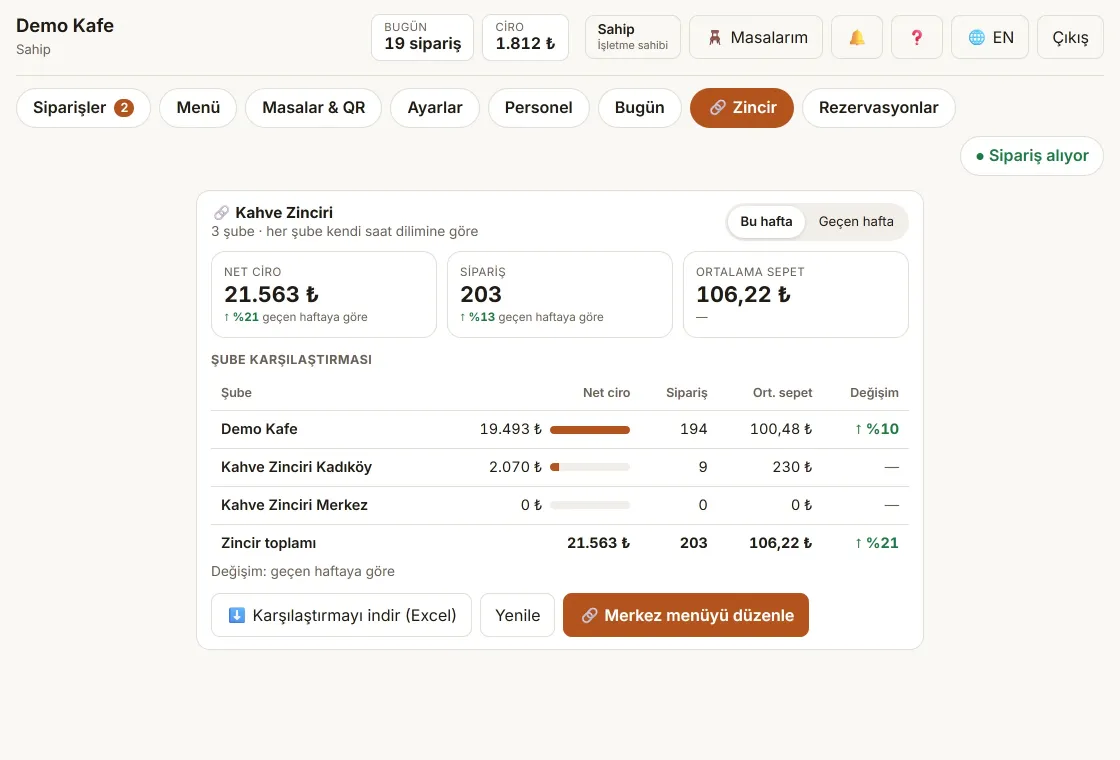
Edit the HQ menu once and publish it to every branch; compare branches side by side by weekly revenue and orders.
A public demo café is on its way — until then, try everything yourself with the 14-day trial account.
Features
QR code at the table, photo menu, options and cart; the order appears in the panel instantly.
Orders are split by station; the kitchen sees its own screen and marks items ready.
Owner, waiter and kitchen roles; everyone uses their own PIN, every action is attributed.
A reason is required when cancelling and cannot be skipped; "why was this table cancelled" is always on record.
Cash/card is chosen at close-out; the cash counted in the evening is compared with what's expected.
Upload your existing menu from Excel in one go; price updates take the same route.
Allergen and nutrition info per item; shown on the guest screen and on the printed price list.
Ingredient-based recipes; sales deduct stock, and you're warned when margin drops below your threshold.
Time-based prices and menu bundles (soup + main + drink) as a single item.
Split evenly per person or by item; each part closes separately, the till stays right.
Guests request from the QR code, staff confirm; it lands on the table plan.
Logo, cover, colours and font; the guest screen looks like your café, not like Tıkır.
Regulation in Türkiye
A QR menu does not replace the printed price list; Tıkır generates the printed list from your menu as well.
Tıkır prints a "Price List" from your menu automatically; the list you must display comes from the same data as the QR code, so the two always match.
Ingredient, allergen and calorie info per item can be entered today; it shows on the guest screen and the printed list. Guests who cannot use the QR code can be given the printed list.
Pricing
Restaurant packages with ordering, kitchen display, end-of-day reconciliation, staff roles and sales analytics usually cost far more than a QR menu alone.
3,591 TL + KDV when paid yearly — three months free.
No credit card required. When the trial ends your menu stays visible; only order-taking stops.
Local pricing for is coming soon
Start your free 14-day trial now — no card required — and we'll follow up before any billing begins.
Start free trialFAQ
Upload your existing menu from your Excel file and you're running in minutes; no need to enter items one by one. Photos, allergens and options can be added later from the panel.
No. The 14-day trial starts without a card. When it ends your menu stays visible; only new orders stop.
Yes. No commitment; cancellation takes effect at the end of the current period.
No. The QR code at the table opens in the phone's browser; no sign-up, app or phone number is required.
No. Tıkır is the ordering, kitchen and till-reconciliation layer; it doesn't replace the official cash-register integration, it works alongside it.
The menu stays visible without a connection on phones that opened it before. An order placed while offline is clearly marked “not sent” on the phone and is sent automatically when the connection returns (if it is older than 30 minutes, the guest is asked first). It shows “not sent” until it has reached the kitchen; if browser data is cleared or the page is never reopened, a waiting order will not go through, so tell the waiter. The panel shows the last loaded data and new orders arrive when it reconnects.
14 days free, no credit card, no commitment.